Translate a Lesson
Translations are essential to making Oppia’s lessons accessible to learners across the globe. When you submit translations, they are sent to reviewers for approval. You can track your progress on the My Contribution page.
In this article, you will learn how to:
—
Find a Translation
Because Oppia is an international organization, translations are essential to make lessons accessible across the globe. To find text that needs a translation:
From the Contributor Dashboard, select Translate Text.
From the drop-down menu, select the language you want to translate to. You will see a list of chapters that have not yet been translated.
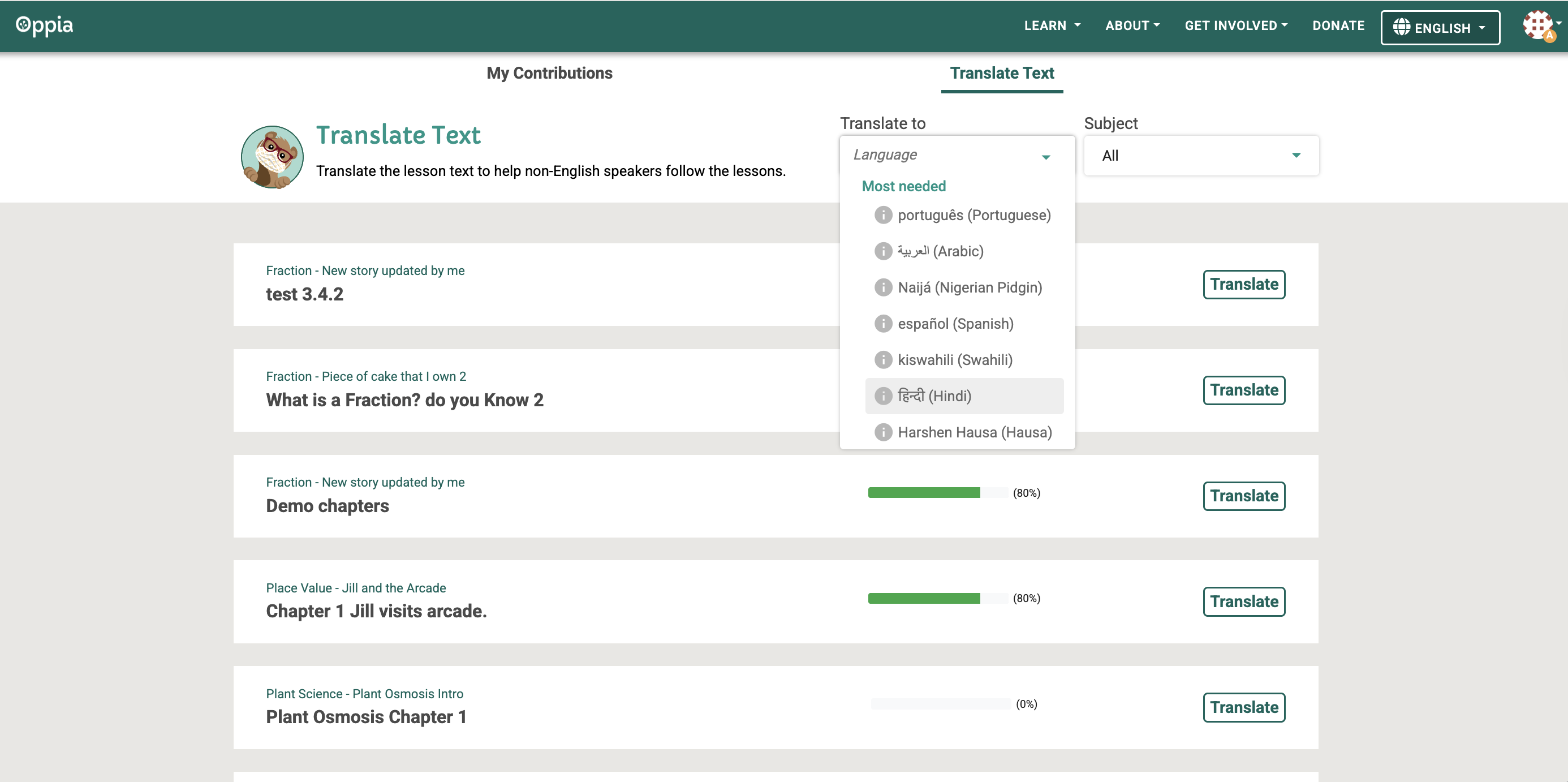
Fig. 1. Translate text tab on the Contributor Dashboard
To start translation, select Translate. A pop-up window appears at the top with the content to be translated.
Type your translations in the text field at the bottom.
—
Use the Copy Tool
To copy non-text items like images or math expressions:
Select Copy Tool. The content to be translated is split into separate highlighted sections.
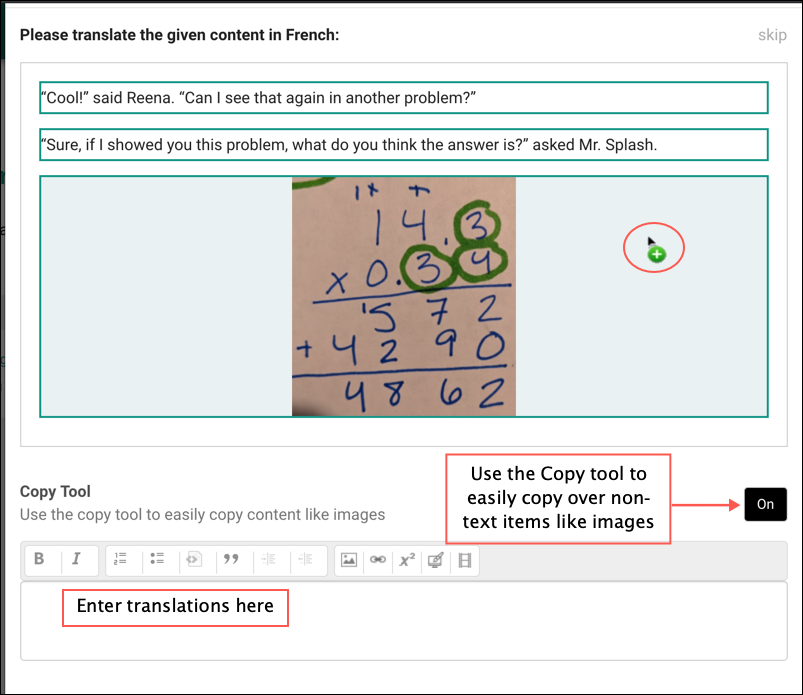
Fig. 2. Copy tool interface
Select the section you want to copy. For example, to copy an image, click on the image.
The Customize This Component window opens. Translate any text in this window (such as alt-text or captions) as needed.
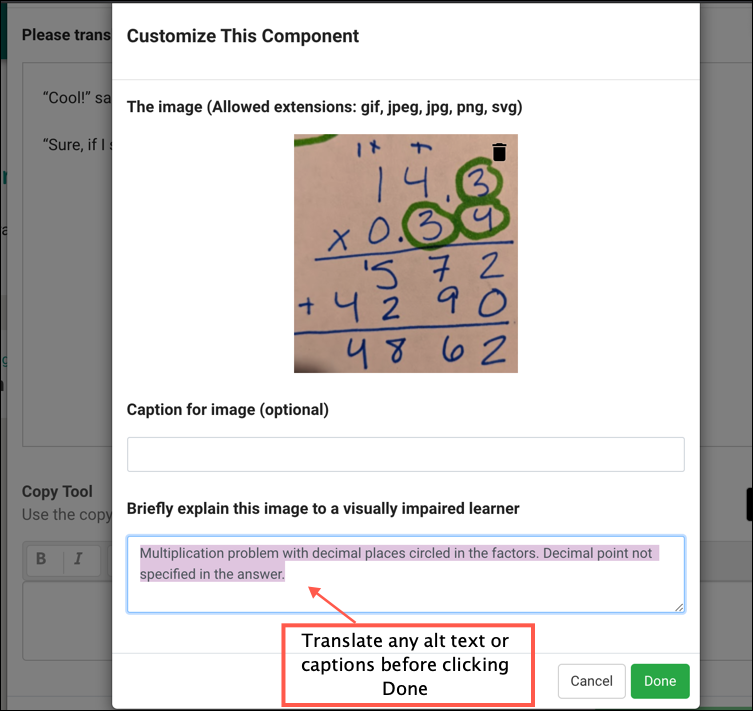
Fig. 3. Captioning images for accessibility
Select Done to return to the translation card. The item is now copied in the translated section.
Select Save and translate another to move on to the next card and save the current card’s translation.
Select Cancel to exit.
Tip
If you’re unsure how to translate a specific card, you can select Skip to move on to the next card without translating the current one.
—
Translation Guiding Principles
To ensure your translations have the best chance of being accepted during review, follow these principles:
Conversational Voice: Preserve the voice and meaning of the original text. Translate into conversational language that stays close to the source.
Completeness: Ensure that all of the meaning in the original text is present in the translation.
Consistency: Stay consistent with your terminology choices across the entire lesson.
[Image of translation workflow steps from source to localized content]
Before you submit your translations, ask yourself:
Have I provided all the necessary information?
Have I researched terms I was unfamiliar with using reliable sources?
Have I proofread and reviewed my translations before submitting?