Merge a Skill
Merging a Skill is useful when you have overlapping content that fits better under an existing, published Skill. This helps keep the Skill Tree lean and prevents creators from having to maintain redundant content.
To merge a skill:
In the Topics and Skills Dashboard, open the Skills tab and locate the Skill to merge.
Select the three vertical dots next to Unassigned or Assigned.
Select Merge Skill from the dropdown menu.
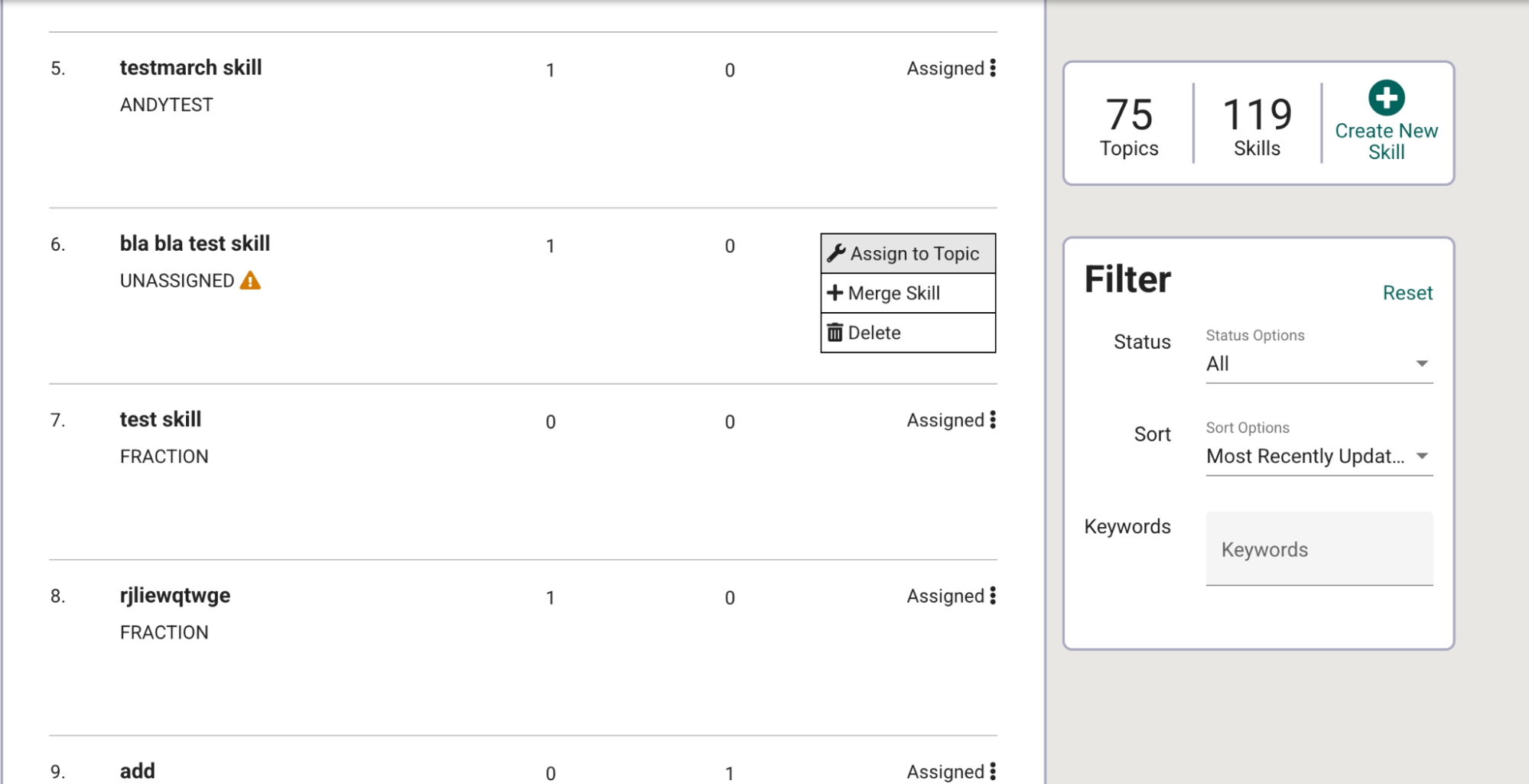
Fig. 1. Skill dropdown menu on the Skills Dashboard
In the dialog that appears, search for and select the Skill you want to merge into.
Click Done to finish merging.
Warning
Merging is a permanent action – once complete, it cannot be undone. Double-check that the target Skill fully encompasses the pedagogical scope of the Skill being merged, as the original Skill will be deleted and all original content lost after this process.